Digital Choice Boards

Thank you to Jenny from The Teaching Buzz for this incredible guest blog post! Enjoy!
Choice, Menu or Tic-Tac-Toe boards have been used with great success in so many classrooms and feature heavily in mine. I love the collection of ideas and learning opportunities they provide on a topic and suit many different learning styles. I was introduced to Tic-Tac-Toe boards by my inspector while on teaching practice. I am so grateful for the advice she shared with me on how to engage and motivate my students while also creating resources that I could reuse time and time again.
Why use digital choice boards…
Over the years, I have moved away from the choice board in the traditional sense to a digital one using my favourite shortcut tool – the hyperlink. So rather than just typing an option in a box, it is now an access point to further information, a template or a game. When researching different topics online, I often get lost in the web, finding so many amazing resources readily available at the click of a button. I love to combine them all into one document – varying in content from games, quizzes, research information, images, lessons, experiments, books, songs and more. Similar to Scoilnet Learning Paths or a Pinterest Board, I find it’s a great way to gather my thoughts and resources all in one place – in a visually appealing one-pager. The fun part for me is creating the background and overall look of the document – adding the links is the easy part, once I’ve spent hours Googling!
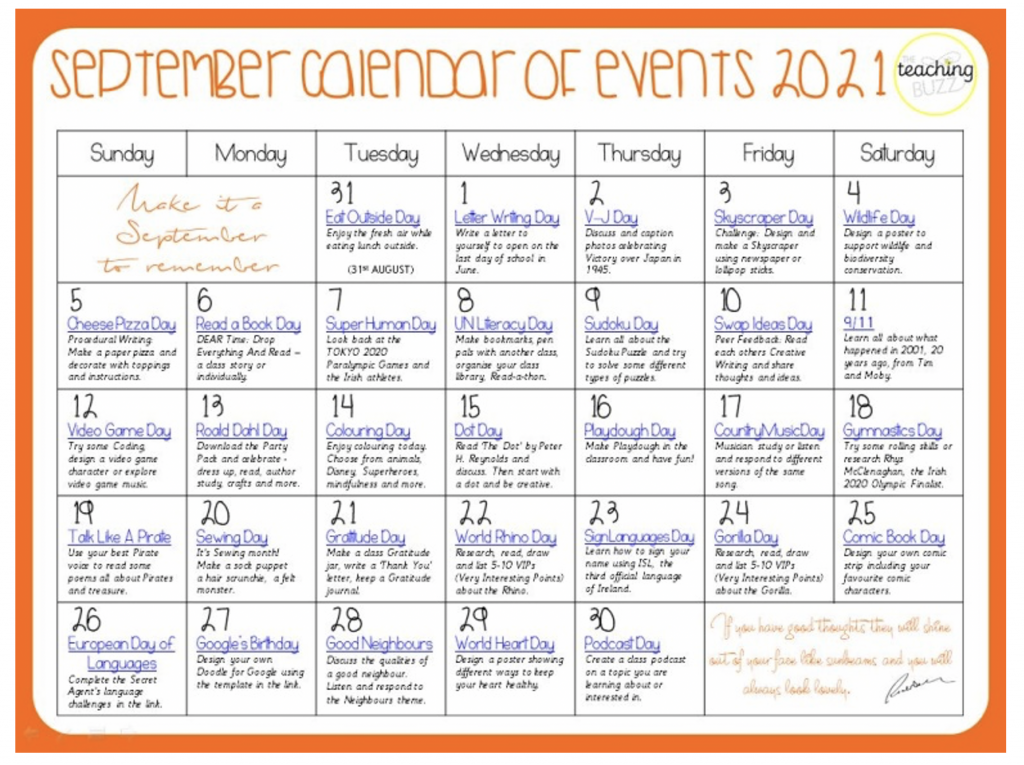
My Monthly Event Calendars are a great example of how I use hyperlinks. Every day of every month is a celebration from Earth Day to Cheese Pizza Day. Created in PowerPoint and saved as a PDF, each day can be clicked on the calendar and brought to a link based on the event – this has been so handy for morning chats, end of day discussions, lesson transitions or when subbing in another classroom. I don’t celebrate or acknowledge every day but I do like to have the option.
Why I started using them…
Towards the end of the first lockdown, it was difficult to motivate the children to continue learning at home so I was challenged with the task of creating thematic lessons that could be used by the whole family and uploaded to our School Story on ClassDojo.
This idea really excited me as it promoted positive conversations and learning experiences at home based on a specific topic and, as this took the form of a digital choice board, it meant that there were activities to suit all learners and abilities. Older children could teach their younger siblings who could in turn pose questions and ignite further exploration and research. Parents became involved in the learning process in a new way too.
Gathering Information
My first digital choice board focused on Space Day. Within this PDF, the children were brought to some wonderful websites where they could learn more about and research the planets, watch videos about the first moon landing, read books and informational texts, download colouring sheets, crosswords, take a quiz and more. The parental feedback was so positive – it didn’t seem like schoolwork, it was fun for the whole family and the children enjoyed clicking images and trying to find some of the hidden links too!
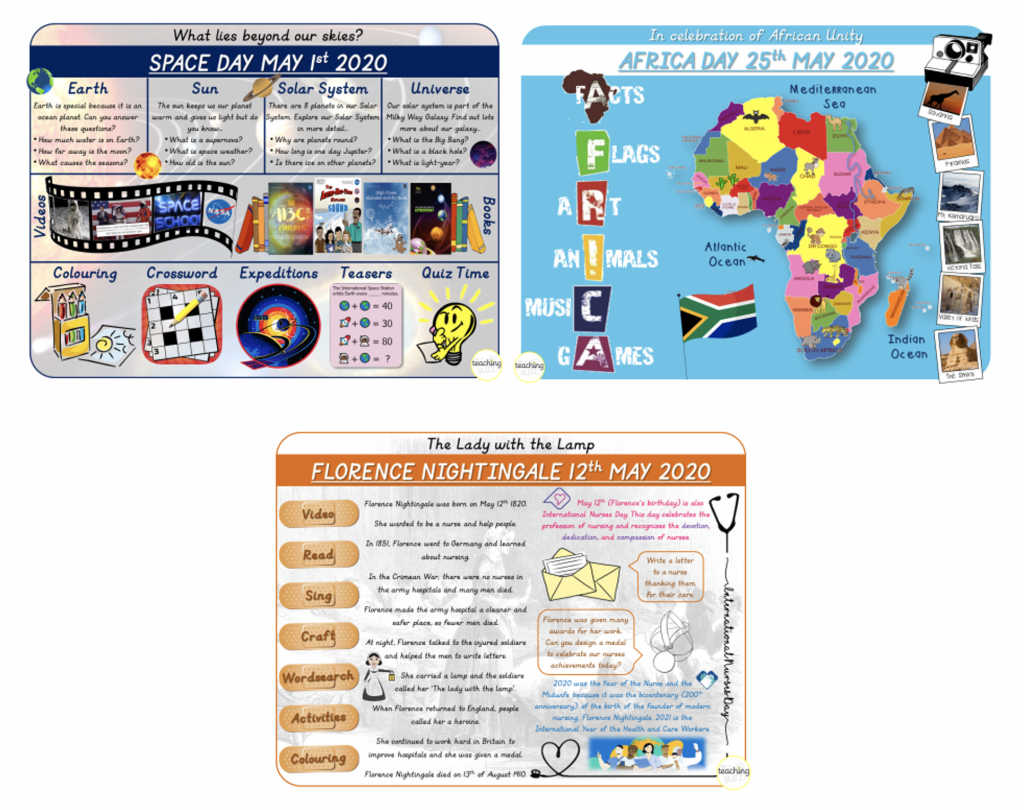
Before the term ended we celebrated lots of events including May Day, Florence Nightingale and Africa Day all through engaging digital choice boards. Class teachers referred to the PDFs on their Stories on ClassDojo and encouraged discussion and sharing of any work they may have done at home – fact files, word searches, drawings etc.
Virtual School Tours
School tours, Active Week and Sports Day were all cancelled during lockdown but that didn’t stop us from ensuring the children could still have some experience of these at home. I created a digital choice board filled with 35 virtual tour links for the children to explore from their own couch – many visited The Grand Canyon while others went to Disneyland or swam with dolphins. The best thing about creating a resource like this is that it can be used over and over again at home and in the classroom whether we are studying about Pompeii or the Titanic or having a Friday treat going to LEGOLAND on the Interactive White Board.
Arts Subjects and Active Week
Digital choice boards for Arts Week were so much fun to create with each day having a theme – Colour, Disney, Nature, Superheroes and Sport – with five activity choices per day including the Arts, Baking and a fun drawing challenge. This led on to Active Week which brought our whole staff together in creating daily choice boards for the children to use at home, again suitable for all ages. These included messages and skill demonstrations from athletes from our local area as well as games using household items and different ways to stay active. We will have these digital choice boards forever – time definitely well spent! This way of collaborative learning really worked for us as a school community during lockdown and it is something that has continued to be beneficial, celebrating events as a whole school.
More Ideas
Over the past year, I have continued to create digital choice boards. I use this style of resource as I find it helps to organise my thoughts on a specific topic and I can pass these organisational skills on to the children. Some focus on a specific topic we are exploring, guiding the children towards specific websites and information ensuring they are searching safely; while others are broad and used by the whole school such as Animals, World Bee Day and most recently The Dot Day. I like to ensure that I am catering for all styles of learning by including audio and visual links as well as fun ways to reinforce learning such as a Wordsearch, quiz or colouring sheets where the children can engage in discussion using new vocabulary.
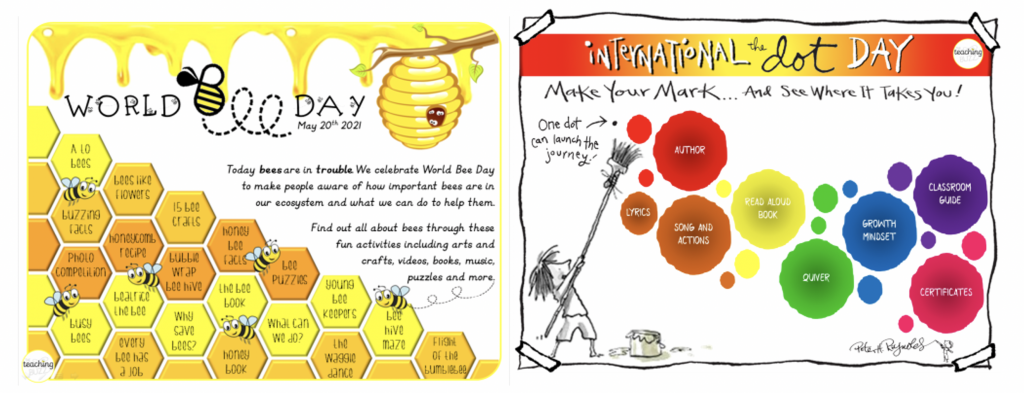
The freedom of a digital choice board encourages children to choose ‘how’ they want to learn, what style suits them and is most enjoyable to them. They become more responsible for and engaged in their own learning and are motivated to succeed having made the choice themselves. If they love it, they’ll learn it!

Thank you to Jenny from The Teaching Buzz for this informative art project. I can’t wait to try a digital choice board with my own class. You can find more information on digital choice boards on her Instagram @theteachingbuzz. Claire x